MoQ
The MoQ page shows metrics for playbacks of the Player that use Media over QUIC (MoQ). These playbacks are shown here and not on the H5Live page. Most of the metrics are only available with H5Live metrics enabled. The selected filter options affect all available metrics.
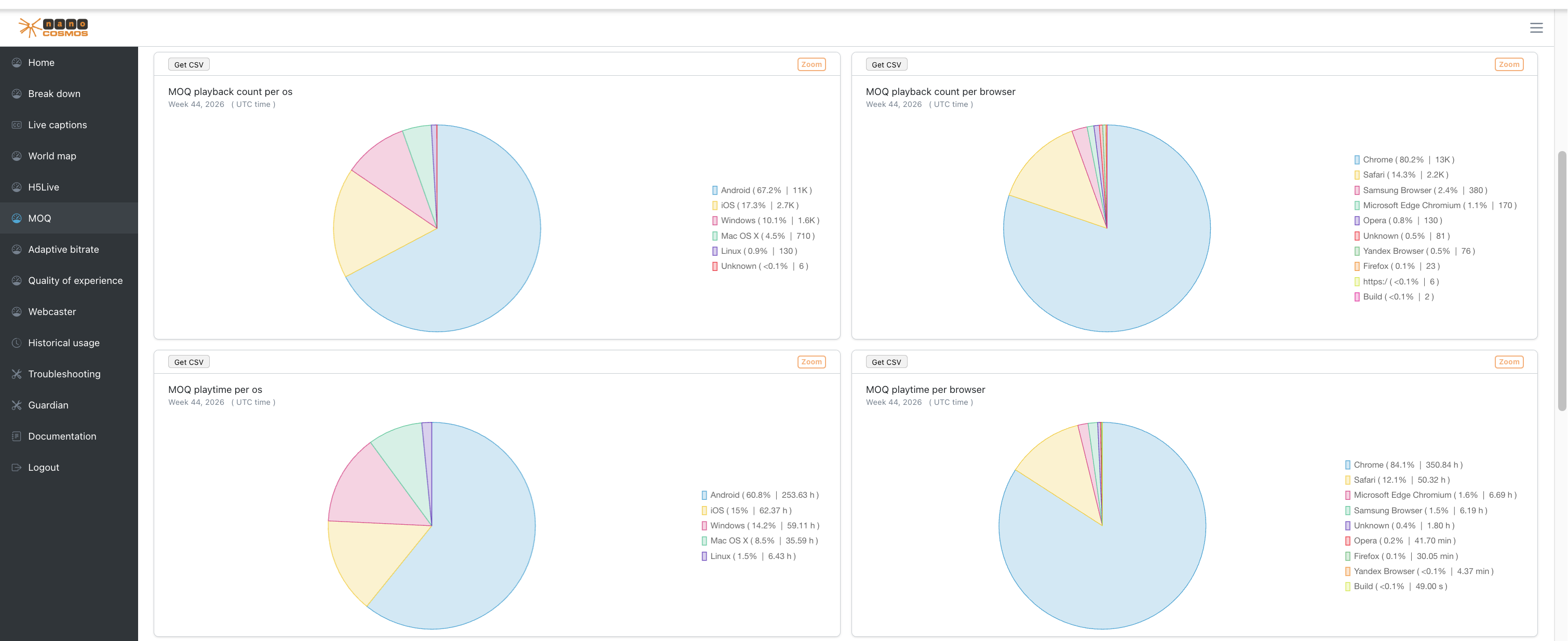 Screenshot: MoQ Charts
MoQ playback count per OS
Percentage distribution of MoQ playbacks on operating systems (OS), with the playback count.
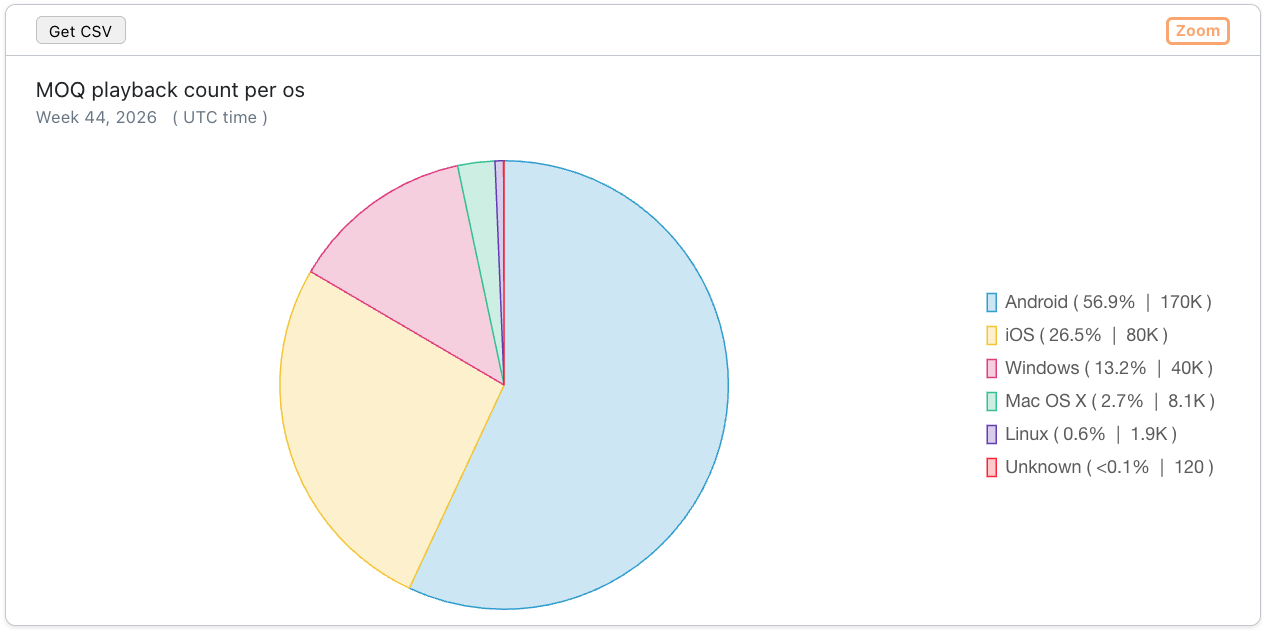 Screenshot: MoQ playback count per OS
MoQ playback count per browser
Percentage distribution of MoQ playbacks in browsers, with the playback count.
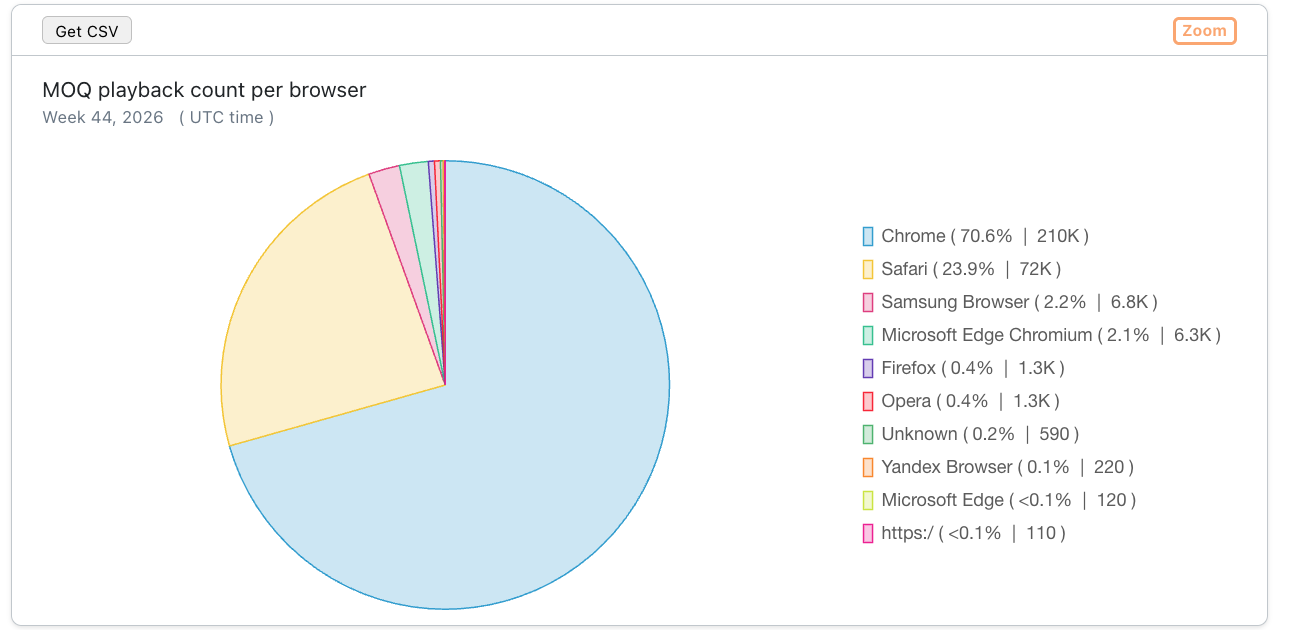 Screenshot: MoQ playback count per browser
MoQ playtime per OS
Percentage distribution of MoQ playtime on operating systems (OS), with the total playtime.
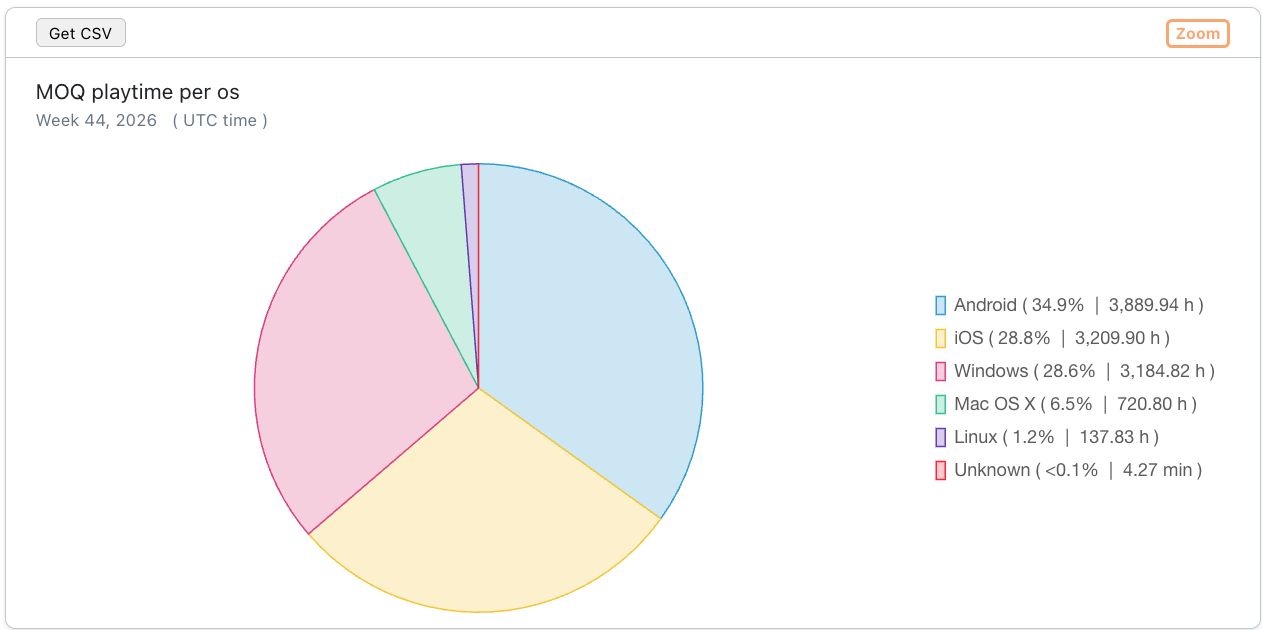 Screenshot: MoQ playtime per OS
MoQ playtime per browser
Percentage distribution of MoQ playtime in browsers, with the total playtime.
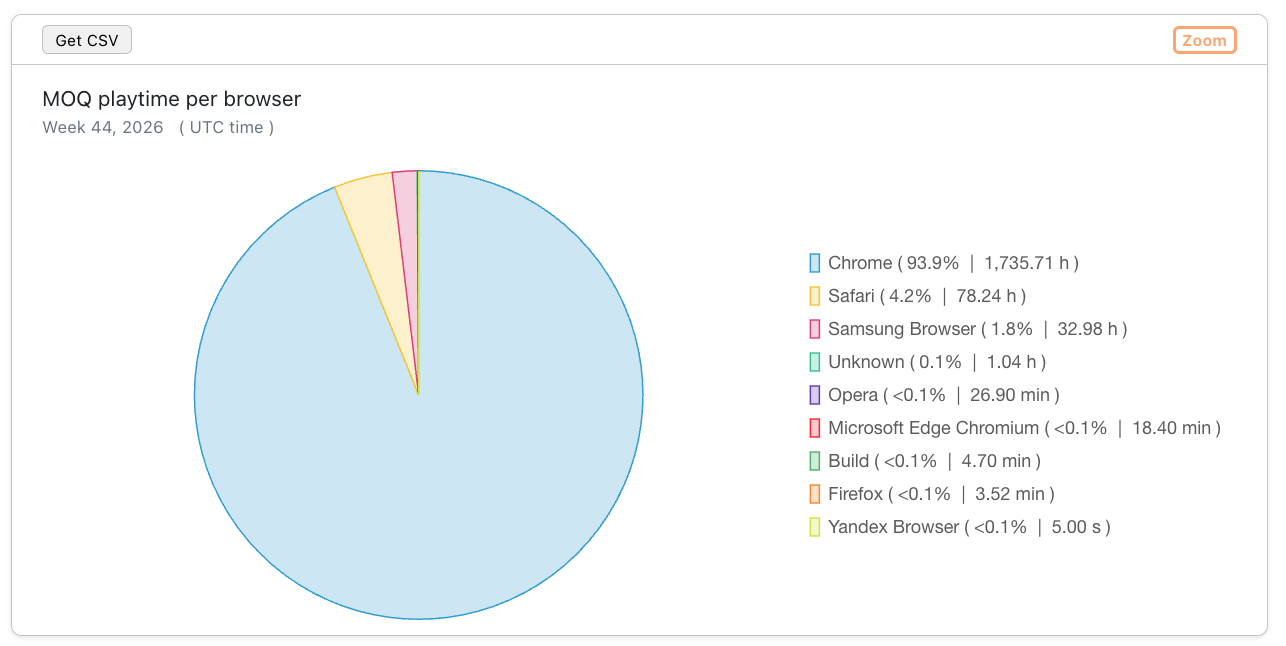 Screenshot: MoQ playtime per browser
Average and median playing time in seconds
The average and median duration of a MoQ playback, shows how long a viewer watches a stream.
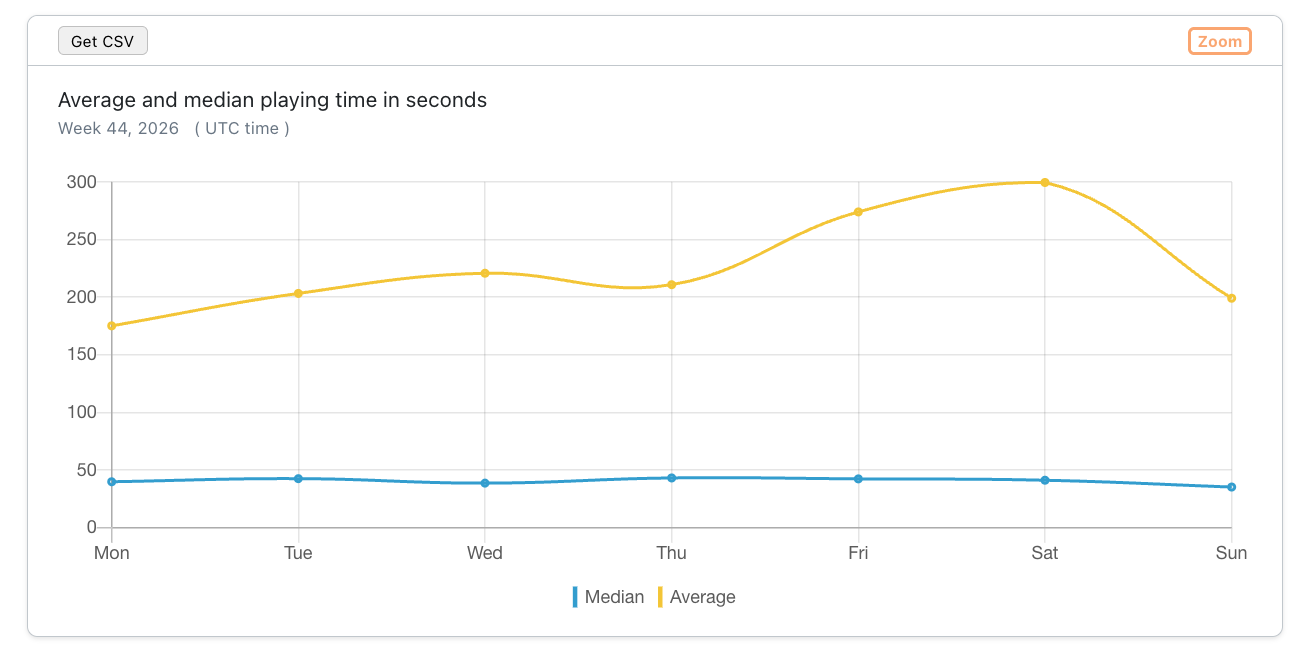 Screenshot: Average and median playing time in seconds
Play buffering ratio in percent
The ratio between buffer and playback duration over all MoQ playouts.
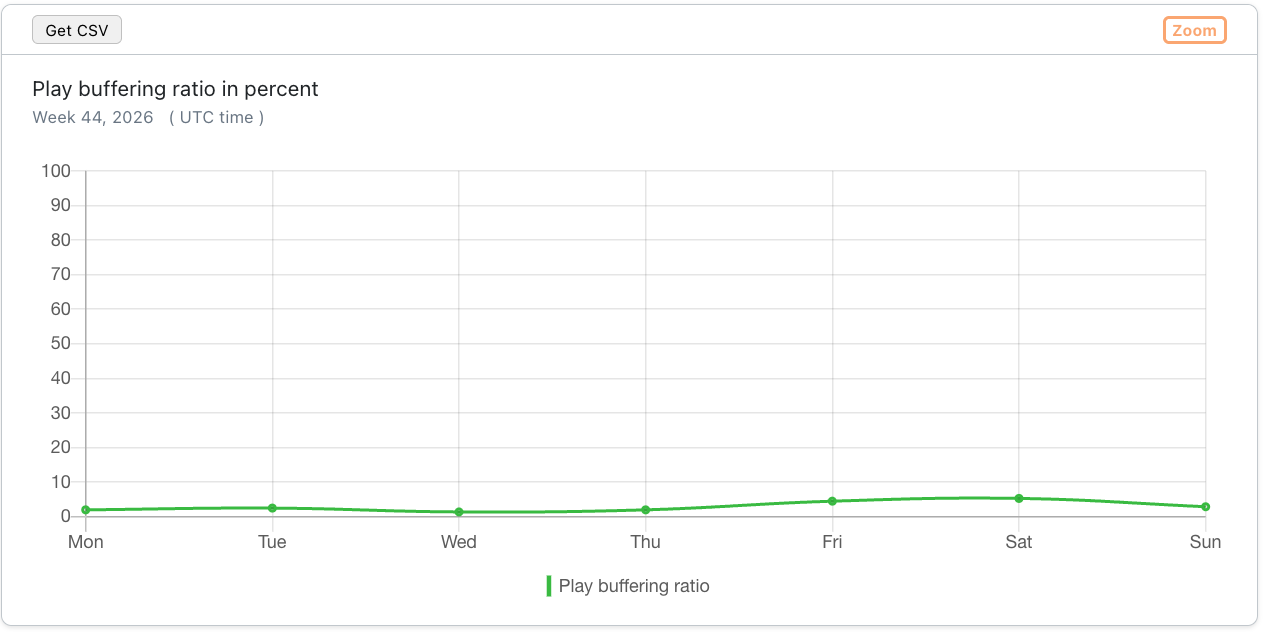 Screenshot: Play buffering ratio in percent
Player loading count per country
The number of player initialisations (clients which attempt to play back a stream via MoQ) per country.
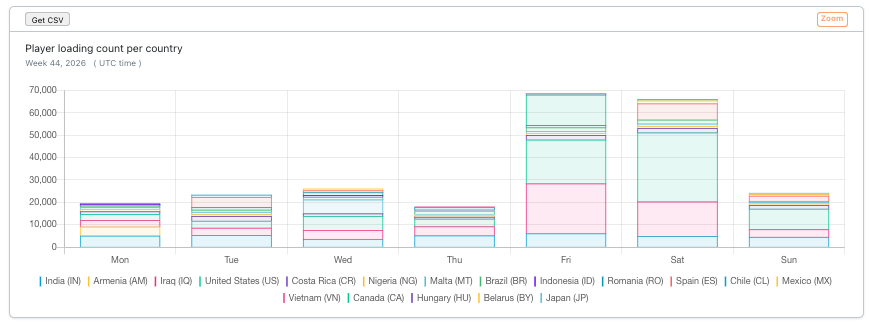 Screenshot: Player loading count per country
H5Live Player versions before 5.0.11 report the playback path only once the connection is established. The first player loadings of a MoQ playback are therefore counted on the H5Live page, so this chart can show a few percent fewer player loadings than actually occurred.
Used player versions
Distribution of MoQ playbacks based on the used version of the H5Live player. Switch between Pie chart and Table view.
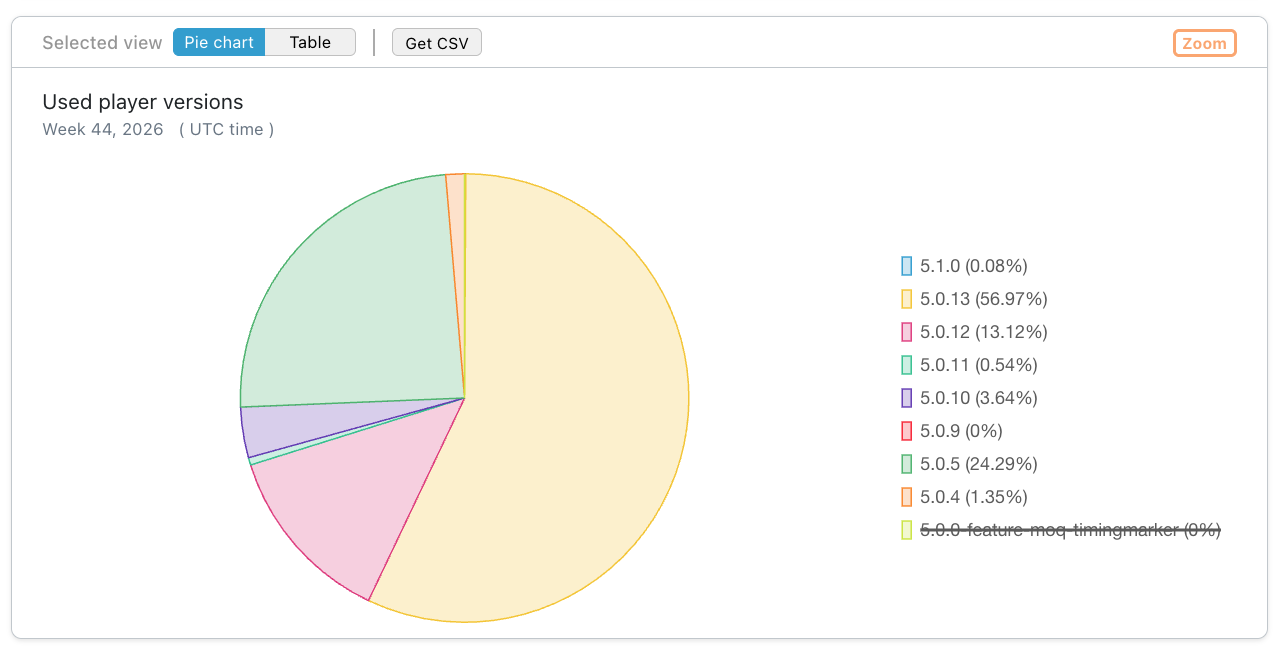 Screenshot: Used player versions
Average and median player latency in seconds
The average and median latency of MoQ playbacks.
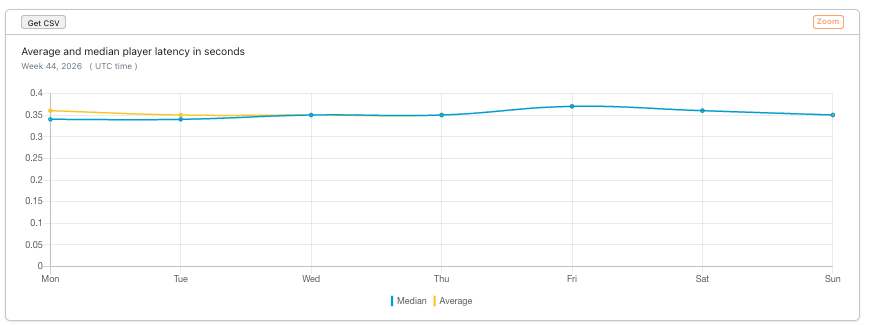 Screenshot: Average and median player latency in seconds
Median play startup time in seconds
The time it takes until the playback of a stream is started via MoQ - first frame rendered by the H5Live player.
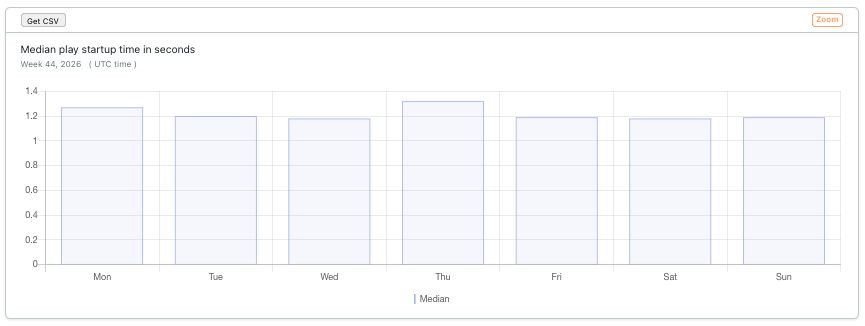 Screenshot: Median play startup time in seconds
Status/Error Codes
The number and types of status and error codes which occurred during MoQ playbacks. View error codes opens a page with an explanation for each code.
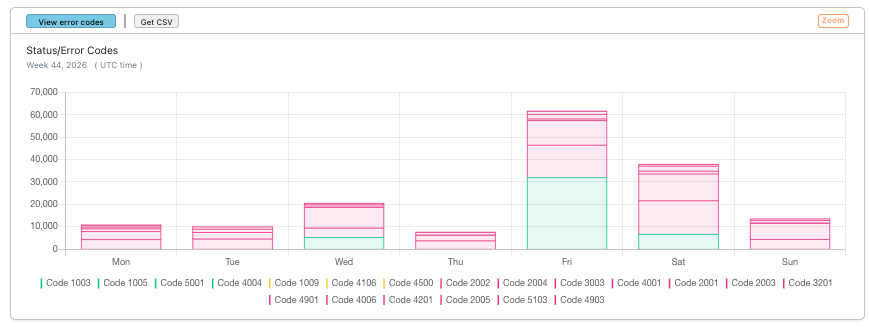 Screenshot: Status/Error Codes
Stop reasons
The number and types of reasons why MoQ playbacks were stopped or interrupted. View stop reasons opens a page with an explanation for each stop reason.
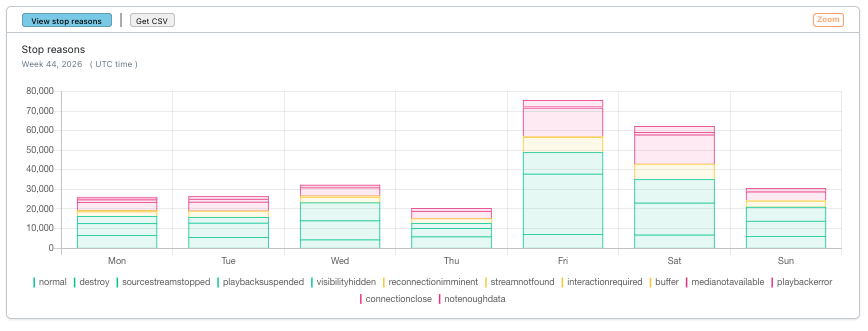 Screenshot: Stop reasons